Forms at a glance
A form collects records: beneficiary registrations, inventory counts, incident reports, anything where each submission is its own row of data. This page is a map of the forms list and everything in its Options menu.
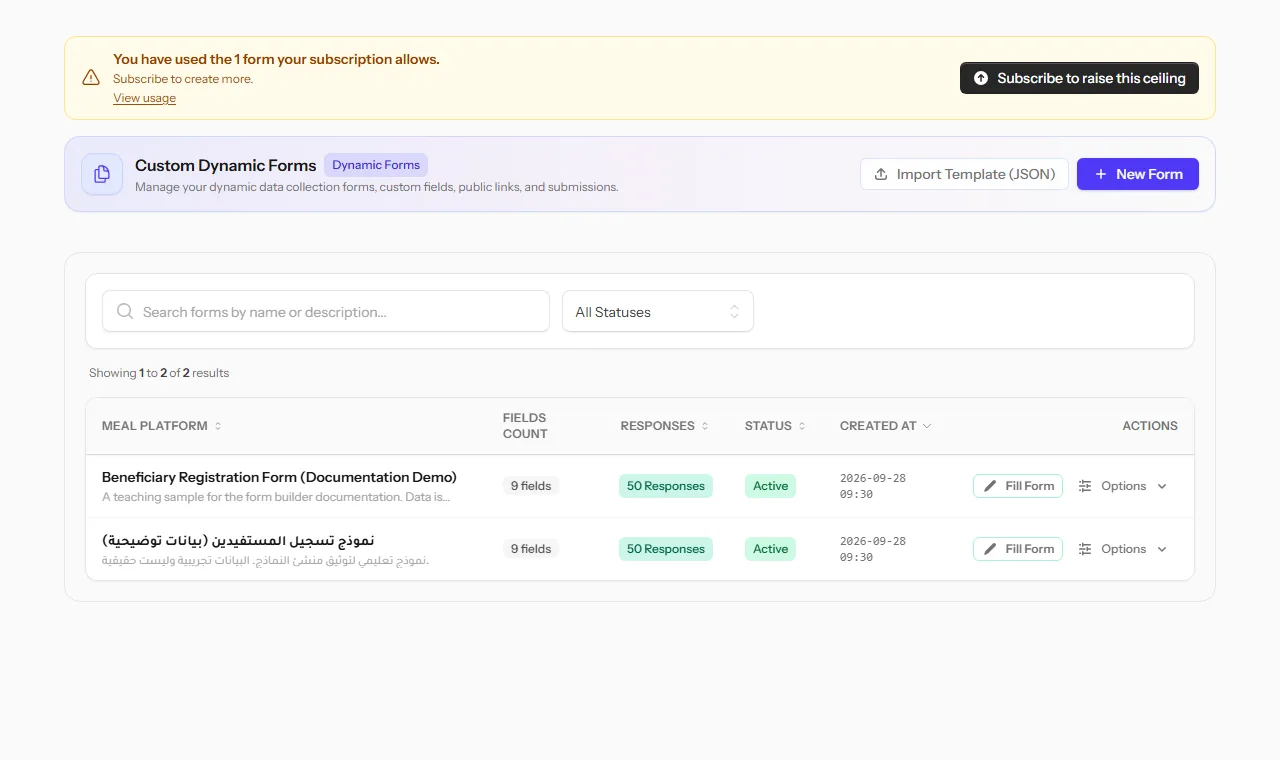 The forms list, with field counts, response counts and status for each form.
Why it matters
Registrations and reports kept in paper lists, chat messages and scattered spreadsheets are hard to count and impossible to check. A form gives every record the same fields, checks the answers as they are typed, and keeps them in one list you can filter and export. When it matters who may answer, and that each person answers once, Verified Participation adds personal links, secret ballots and sealed results.
Start from a template
Open Custom Forms in the top menu, then click New Form. You can build a completely empty form, or start from a ready-made template and edit it from there:
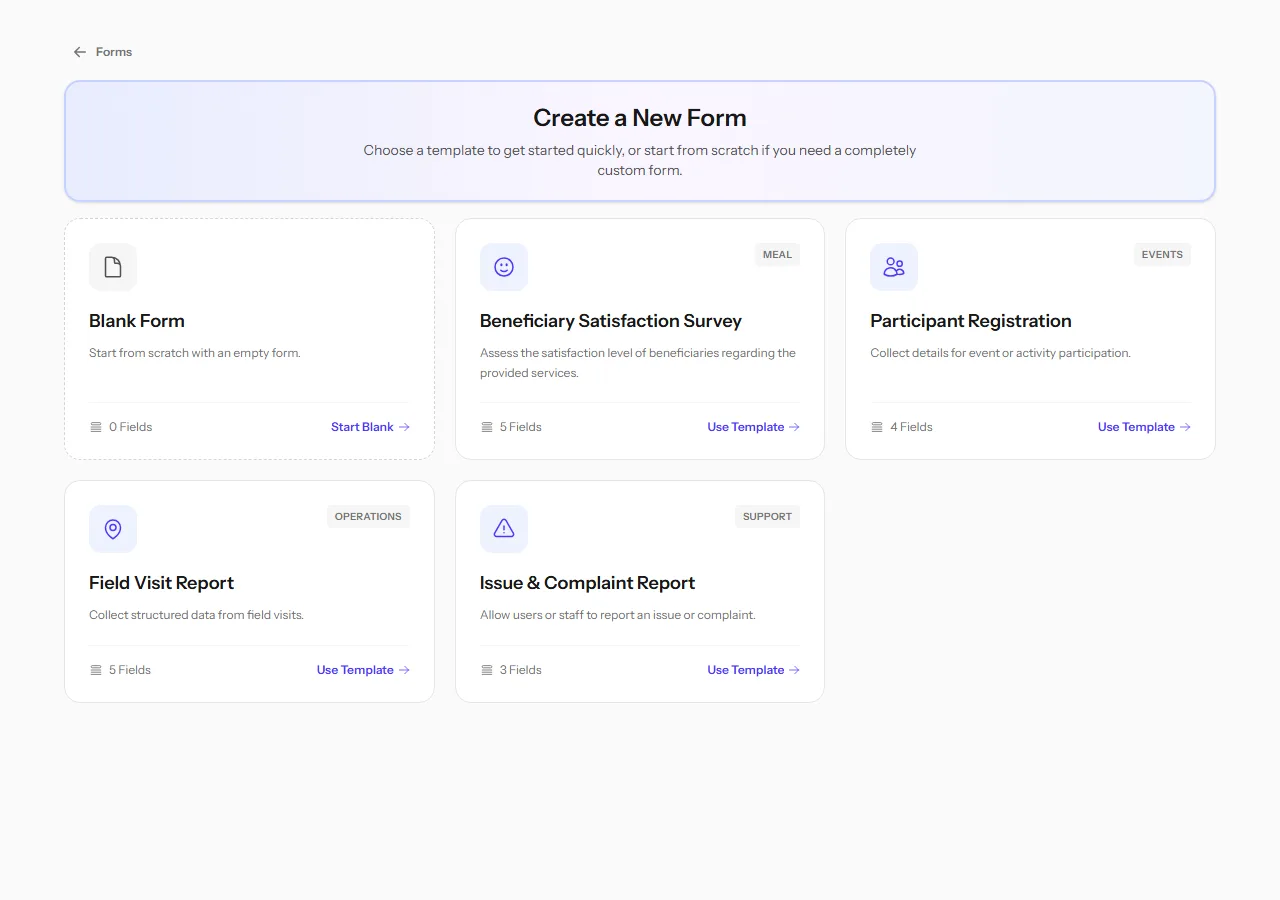
| Template | Good for |
|---|---|
| Blank Form | A form with nothing pre-built, when none of the templates fit |
| Participant Registration | Collecting names and contact details for an event or activity |
| Field Visit Report | Structured notes from a field visit, with photos |
| Issue & Complaint Report | Letting users or staff report a problem |
| Household Registration (relief) | Registering a household: size, children, disability and urgent needs |
| Distribution Receipt (relief) | Recording who received what and how much, with a photo of the signed receipt |
| Training Session Attendance (education) | Attendance at a class or training, by gender and age group |
| Protection Home Visit (protection) | Following a case by its case code, not the person's name: concerns, risk level and referral |
| Health Awareness Session (health) | Each session, with women and men counted separately |
A template only fills in a starting set of fields. Add, edit, reorder or remove any of them afterwards, exactly as on a form you built from scratch. See Build a form.
Looking for the Beneficiary Satisfaction Survey? It is now a survey template, under General Survey when you create a survey, where its ratings are analysed.
Note File-upload fields, such as a receipt photo, need a paid plan with storage. On a trial account they are left out of the template, so the form can still be saved.
Every option in the form menu
Each form row has a Fill Form button and an Options menu:
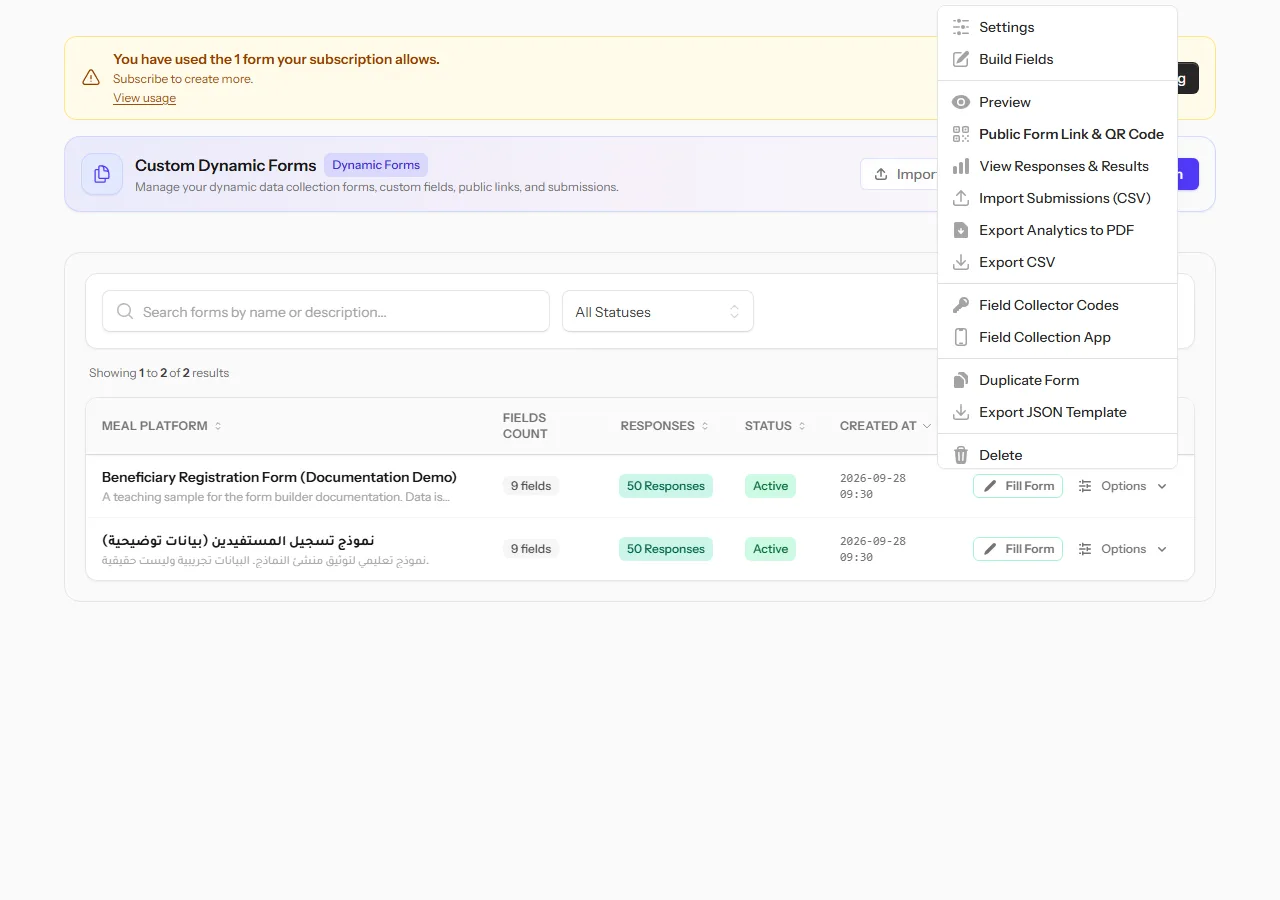 The Options menu of a form in the list.
| Option | What it does |
|---|---|
| Settings | Opens the form's settings: details, quotas, access and rules. See Form settings |
| Build Fields | Add, edit, reorder and delete fields |
| Preview | See the form as people filling it in will, without saving anything |
| Public Form Link & QR Code | Copy the public link or show its QR code. See Share a form |
| View Responses & Results | Records, statistics and comparative analysis. See View and export records |
| Import Submissions (CSV) | Add records collected elsewhere, from a spreadsheet |
| Export Analytics to PDF | Save the statistics charts as a PDF |
| Export CSV | Download all records as a spreadsheet |
| Field Collector Codes | Give your field team access through the Collect app |
| Field Collection App | Open the Collect app |
| Duplicate Form | Make a copy, fields included, to reuse it |
| Export JSON Template | Download the form's field structure as a file, to re-import it elsewhere |
| Delete | Delete the form, after confirming |
Warning Deleting a form also deletes every record submitted to it. This cannot be undone.
Statuses
| Status | Meaning |
|---|---|
| Active | Accepting responses |
| Inactive | Not accepting responses. People can still be shown a preview, but submissions are blocked |
A form can also stop accepting responses on its own, once it passes its expiration date or reaches its maximum submissions. See Limits & quotas.