What is Collect?
Collect is Pulseform's app for collecting data in the field. Your team uses it on a phone or tablet to fill in your surveys and forms, even with no internet connection. The answers are saved on the device and sent to you automatically when a connection returns.
Both surveys and forms: Collect isn't limited to one module. A supervisor can issue a code for any survey or any form, and the same app on the same phone can be linked to either kind, one at a time.
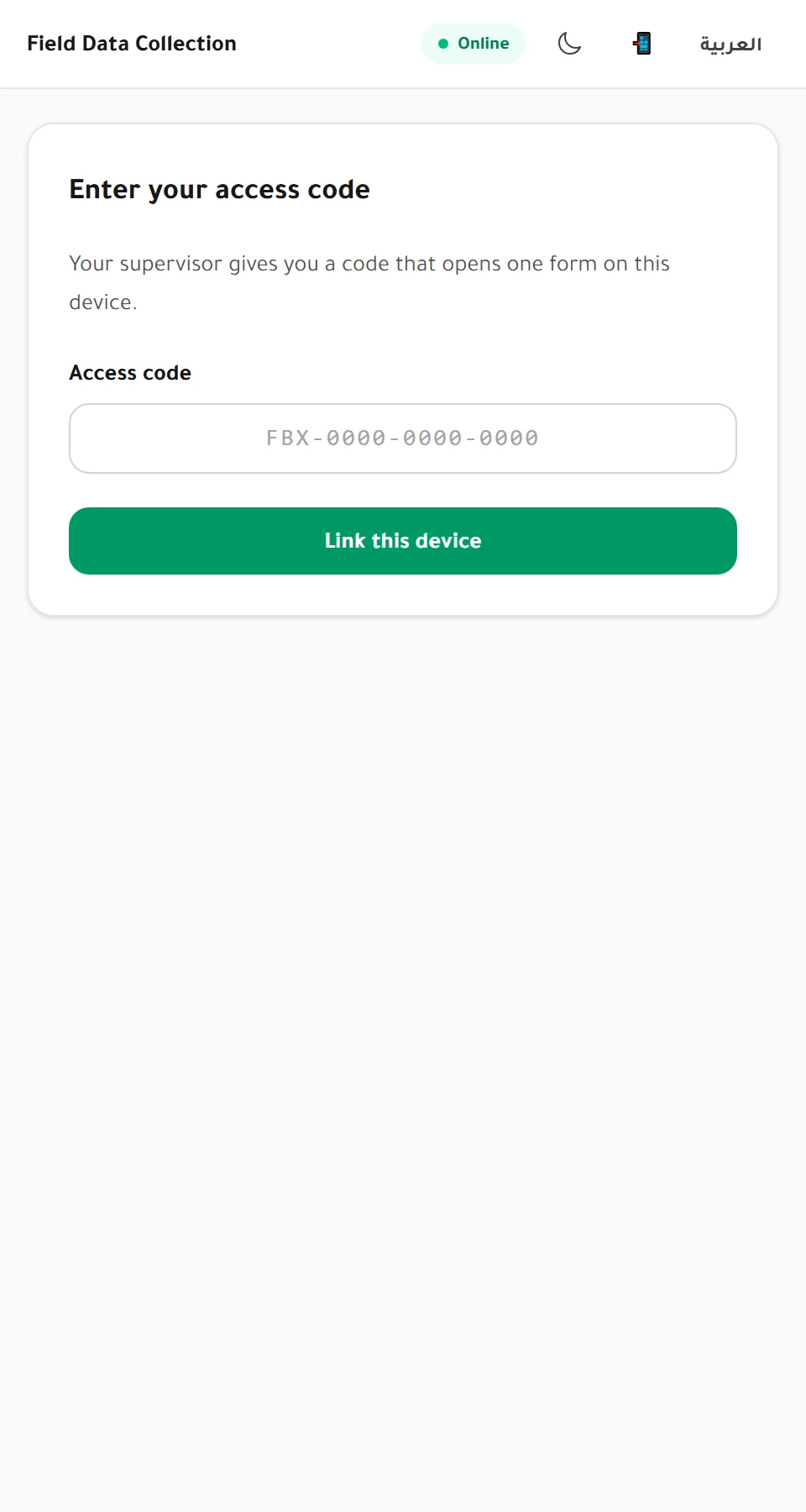 The first screen a collector sees: no account, just the code their supervisor gave them.
When to use Collect
Use Collect when:
- your team works where the internet is weak or missing,
- you need to know which staff member collected each answer,
- the same person collects many answers over days or weeks.
Use the public link instead when the people answering are filling in the survey or form themselves, on their own phones.
| Public link | Collect | |
|---|---|---|
| Who fills it in | Respondents themselves | Your field team |
| Needs internet | Yes | Only to set up, then it works offline |
| Know who collected it | No | Yes, each answer is linked to a collector |
| Limit per person | No | Yes, optional |
How it works
- The supervisor issues an access code for each collector. A code opens one survey or one form.
- The collector opens the Collect app and types their code. The survey downloads to the device. This step needs an internet connection.
- In the field, the collector fills in answers with no connection. Each one is saved on the device.
- When the device is back online, the app sends everything waiting, automatically.
- The supervisor sees the answers arrive in the results, with the collector's name on each one.
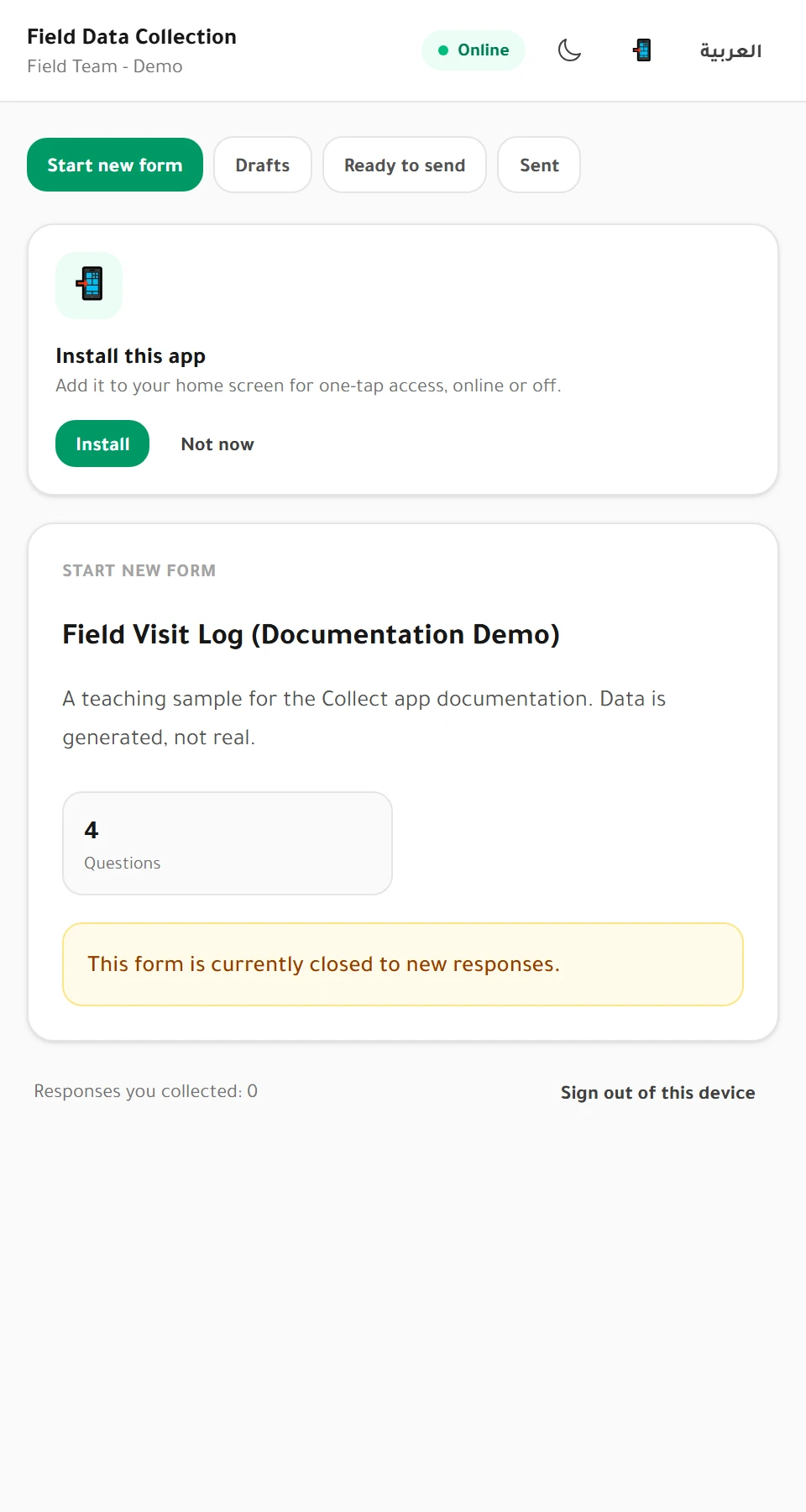 Once linked, the device shows the survey or form title, how many questions it
has, and the collector's own running count of responses collected.
Once linked, the device shows the survey or form title, how many questions it
has, and the collector's own running count of responses collected.
Warning Until they are sent, answers exist only on that device. A phone lost or reset before sending takes its answers with it. Ask collectors to send whenever they pass a connection, not at the end of the week.
What works offline
Once linked, everything the collector needs works without a connection:
- opening the survey or form and filling it in,
- required questions, number ranges and skip logic,
- saving drafts and marking answers ready to send,
- the app's own screens, in Arabic or English.
A few things need a connection:
- linking the device with a code for the first time,
- sending answers,
- changing the survey's language.
Tip If a survey has been translated and approved into other languages (Arabic, English, French, Turkish or Russian), the collector can pick any of them from a Survey language selector right in the Collect app, separate from the app's own interface language. See Languages on the public link and in Collect.
Forms that can't be collected offline yet
Some form features can only be checked online. A form that uses any of these can't be given collector codes yet:
- file upload fields,
- date rules based on today or on another field,
- duplicate checks,
- forms that only accept responses through personal invitation links.
The collector codes screen tells you which fields are blocking it.
Custom patterns in the field {#patterns}
A form field or survey question can have a custom pattern, such as "ten digits starting with 07". Patterns are strict on the public link, on the in-app pages and when importing, but the Collect app does not check them. It can't judge them reliably without a connection, and an answer the phone accepted but the server refused would be lost.
So a form or survey with patterns can be given to field collectors:
- When you issue a code, you are asked to confirm that the patterns won't be checked in the field. See Issue and manage collector codes.
- A field answer that doesn't fit its pattern is kept and counted like any other, and marked so you can find it. See View and export form records and View and export survey results.
- Other rules, such as required questions and number ranges, are still checked in the field.
Next steps
- Supervisors: Issue and manage collector codes
- Collectors: Use the Collect app
- Everyone: Collector quotas