Surveys at a glance
Surveys are the heart of Pulseform. Beyond collecting answers, a survey here analyzes itself: reliability, statistical tests, organizational indicators and publication-ready tables, all computed from your data as it arrives.
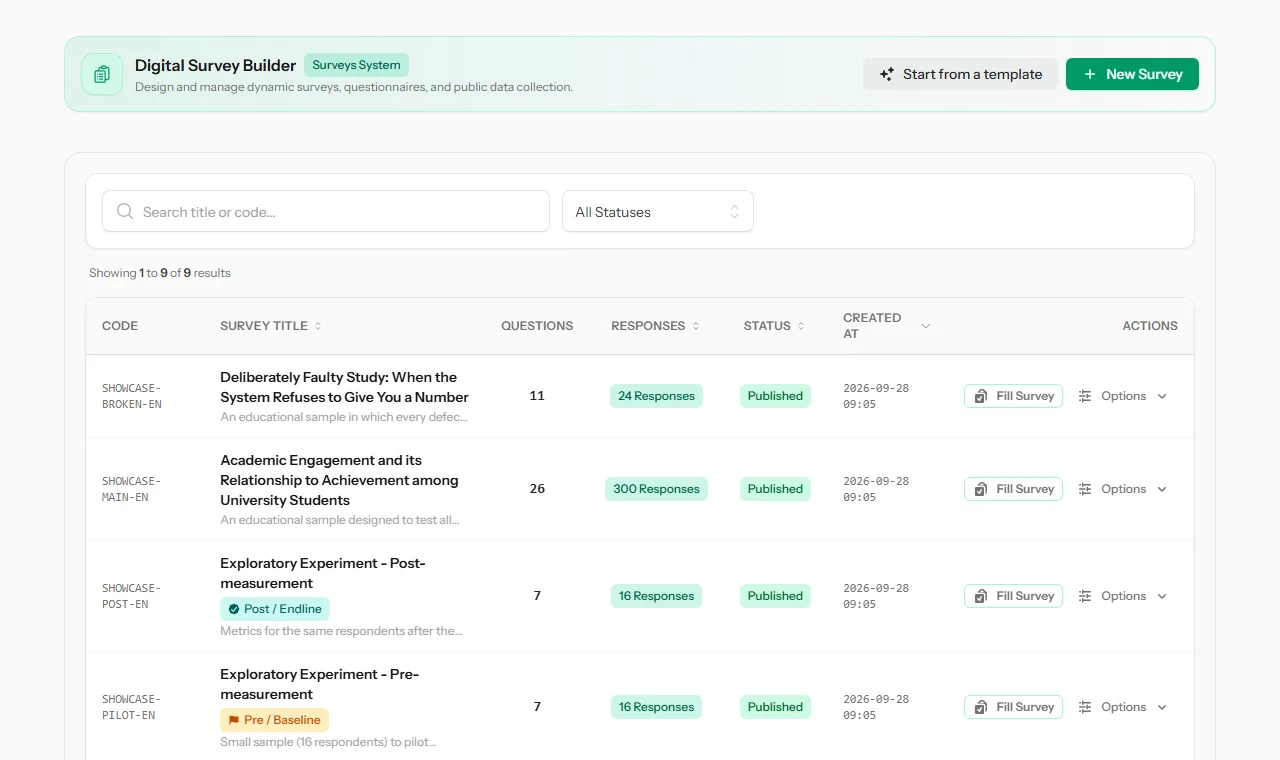 The surveys list, with codes, response counts, status, and stage badges for pre/post studies.
Why it matters
A questionnaire on its own gives you answers. What you usually need is a defensible finding: is the scale reliable, did things change after the program, which group is different. Doing that by hand means exporting to a spreadsheet or SPSS and checking every step. Here the analysis runs on the data as it arrives, and it tells you when it refuses to give a number, and why.
Tip The fastest way to see what a survey can do is to open a finished example. A study with a few hundred responses shows every tab, from response charts to Cronbach's alpha and SPSS export. See Read this report with me.
Three kinds of survey
When you create a survey, you choose its purpose. The purpose decides which analysis tools the survey gets:
| Purpose | Made for | What you get |
|---|---|---|
| Academic & Postgraduate Research | Master's and PhD theses, published research | Cronbach's alpha, constructs, APA 7th tables, normality, correlation, regression, factor analysis, t-tests and ANOVA, pre/post tests, SPSS export |
| Institutional & HR / Employees | Organizations, staff and service surveys | eNPS, importance-performance matrix, department heatmaps, anonymity protection, comment topics |
| General Survey | Everyday questionnaires and feedback | Charts, counts, trends and cross-tabs |
Note The purpose is chosen once, when the survey is created. Choose it carefully, because it decides which analysis tabs appear.
The surveys list
Open Surveys in the top menu. From here you can:
- click New Survey (or Create First Survey / Browse Templates on an empty list): you pick the purpose and then a ready-made survey or a blank one (see Choose the purpose and a starting point),
- search by title or code, and filter by status,
- sort by title, responses, status or date.
Every option in the survey menu
Each survey row has a Fill Survey button and an Options menu:
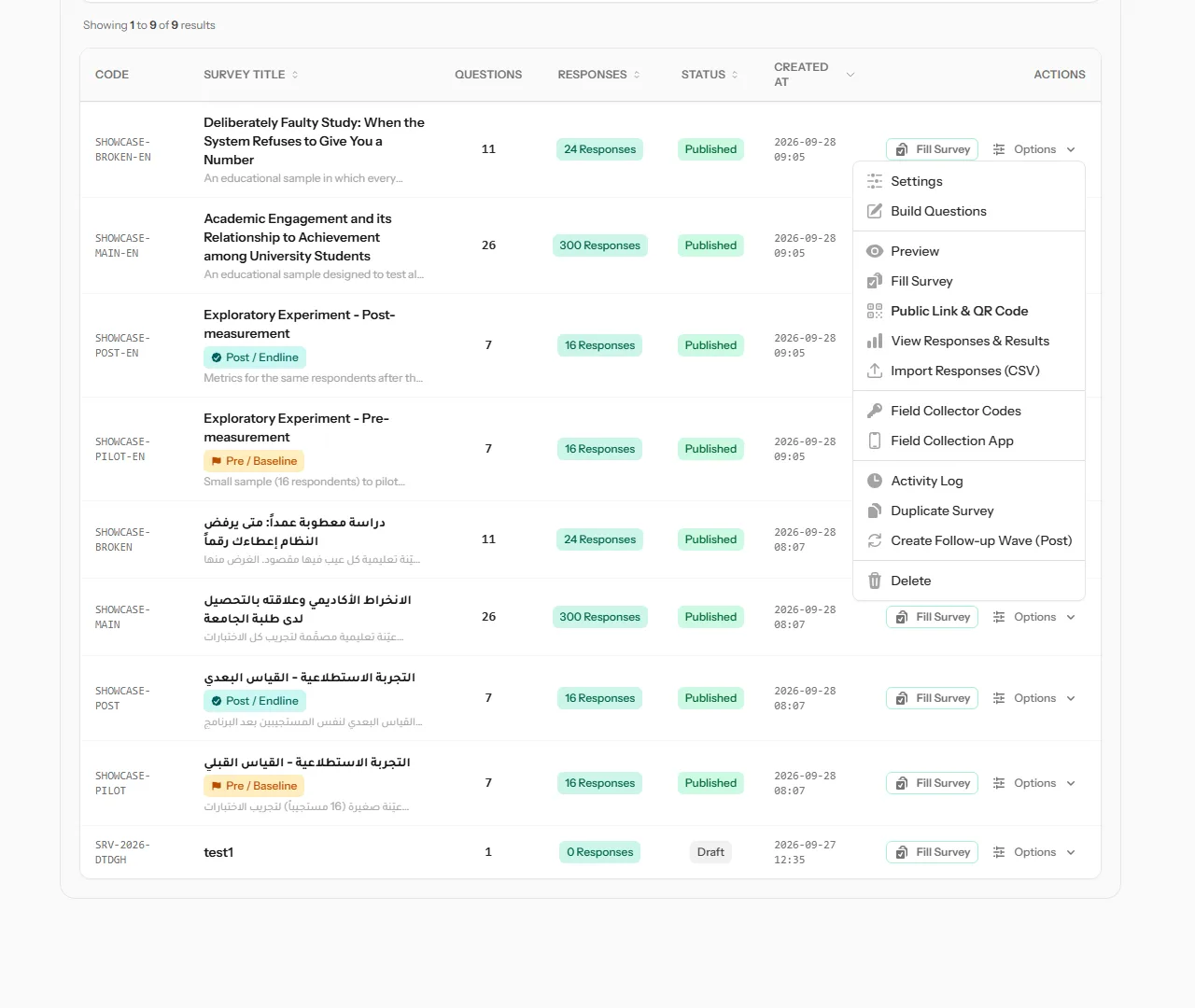 The Options menu of a survey in the list.
| Option | What it does |
|---|---|
| Settings | Opens the survey's settings: details, metrics, mapping, sample, access, analysis and languages. See Survey settings |
| Build Questions | Add, edit, reorder and delete questions |
| Preview | See the survey as respondents will, without saving anything |
| Fill Survey | Enter a response yourself, for example from a paper form |
| Public Link & QR Code | Copy the public link or show its QR code |
| View Responses & Results | Answers, charts and statistical analysis |
| Import Responses (CSV) | Add answers collected elsewhere, from a spreadsheet |
| Field Collector Codes | Give your field team access through the Collect app. See Collector codes |
| Field Collection App | Open the Collect app |
| Activity Log | Every change made to the survey, with old and new values |
| Duplicate Survey | Make a copy, questions included, to reuse it |
| Create Follow-up Wave (Post) | Create the post-test version of this survey. See Pre/post surveys |
| Delete | Delete the survey, after confirming |
Warning Deleting a survey also affects any field collector codes still issued for it. The confirmation message tells you how many there are.
Statuses
| Status | Meaning |
|---|---|
| Draft | Being prepared. Not accepting answers |
| Published | Live and accepting answers |
| Closed | No longer accepting answers |
| Archived | Kept for the record |